Animated Border Bottom From Center on Hover Using CSS

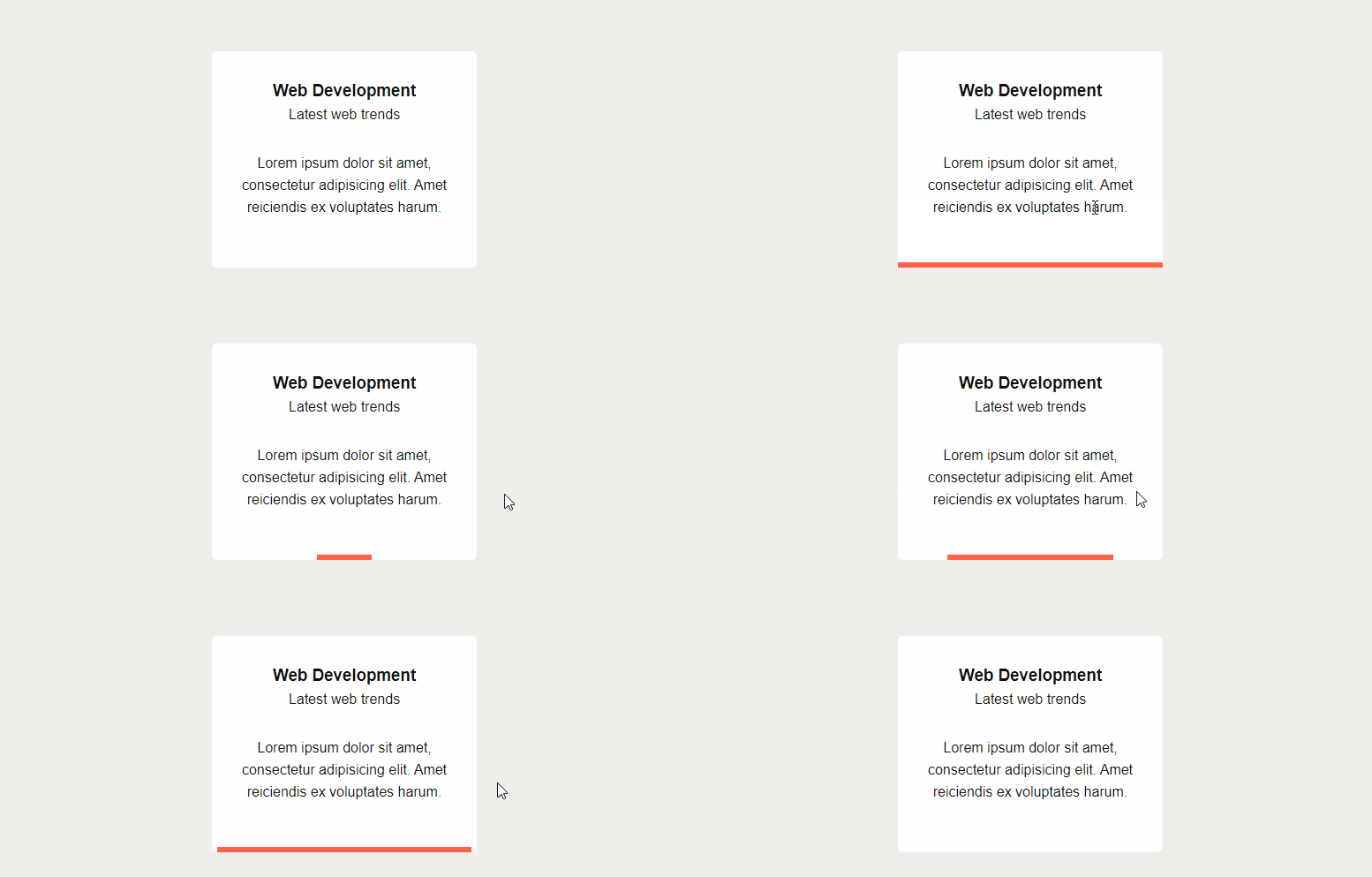
In this CSS tutorial we will create a region / box that will have animated border bottom on mouse hover. The animation will start from center and will move to left and right directions. And when the mouse hover is removed the border will shrink back to center in the same way.

You can use this technique to style your services, projects, features etc. boxes.

Create a box

Let's first create a simple box using HTML and basic CSS.

HTML

Tags

Register New Image Size in WordPress

In this WordPress tutorial we will learn how to register a new image size in WordPress.

Why we need a new image size

WordPress has few default sizes for images, like thumbnail, medium, large, full. When you upload an image, it will automatically create additional images to these sizes.

You can create additional image size as per your need. Like you may need new image size to use as featured image on homepage.

Follow below steps to create a new image size and use it as featured image.

Tags

WordPress – Include Custom Category in url of Custom Post Type

In this WordPress tutorial we will learn how to include custom category or taxonomy term in url of custom post type.

Let's say we have a custom post type course. And we also have a custom taxonomy subject for this post type.

Step 1: Create A Custom Content Type

Let's create a custom content type course. Add below codes in functions.php file of your theme.

Tags